Scaling a modern e-commerce or multi-channel business on WordPress requires continuous catalog accuracy. Whether you run a high-volume dropshipping model or manage multi-platform inventories, keeping stock quantities and catalog data aligned is critical. Relying on manual spreadsheets inevitably leads to overselling, stockouts, and administrative burnout.
To run an automated storefront, merchants need a dedicated woocommerce dropshipping plugin that executes automated woocommerce product sync, scheduled woocommerce stock sync, and zero-timeout catalog updates directly from external endpoints.
In this comprehensive guide, we explore how modern merchants eliminate middleware subscription fees and automate their catalog operations using Omni Supplier Sync.
Why Modern E-Commerce Requires Automated WooCommerce Dropshipping
The traditional model of woocommerce dropshipping relied on manual CSV imports and third-party SaaS apps that eat into profit margins with recurring monthly fees. When your external supplier or partner platform changes a price or runs out of stock, your storefront must reflect that change on a reliable schedule.
By implementing native products sync for woocommerce, store owners establish an automated pipeline that pulls catalog updates, stock quantities, and price revisions into their store without manual intervention.
Core Pillars of Automated Product & Inventory Synchronization
1. Seamless WooCommerce API Import & REST Architecture
Instead of wrestling with outdated CSV files, leveraging a direct woocommerce api import connects your store to external endpoints via standard HTTP methods. With native support for woocommerce rest api products, catalog data—including titles, SKUs, tax classes, descriptions, and categories—is mapped and updated dynamically with complete data integrity.
2. Scheduled WooCommerce Inventory Sync (Anti-Overselling Protection)
Nothing damages customer trust faster than selling an item that is out of stock at your supplier's warehouse. Automated woocommerce inventory sync continuously monitors external stock levels through scheduled delta polling. When a product or variation sells out externally, your WooCommerce stock count is automatically updated to zero during the next sync interval.
3. Handling Variable Products & WooCommerce Variation Swatches
Complex products with multiple sizes, colors, and styles often break during standard imports. A specialized sync engine ensures that child variations map cleanly to parent variable products, preserving woocommerce variation swatches and gallery images so shoppers experience a seamless user interface.
4. Scaling: How to Import Products to WooCommerce Without Timeouts
When merchants attempt to import products to woocommerce for catalogs containing 10,000 to 50,000+ SKUs, shared and VPS hosting environments often trigger 504 Gateway Timeout or memory exhaustion errors. Utilizing WordPress Action Scheduler background chunking ensures large imports process in asynchronous, scheduled batches with memory capped strictly below 32MB.
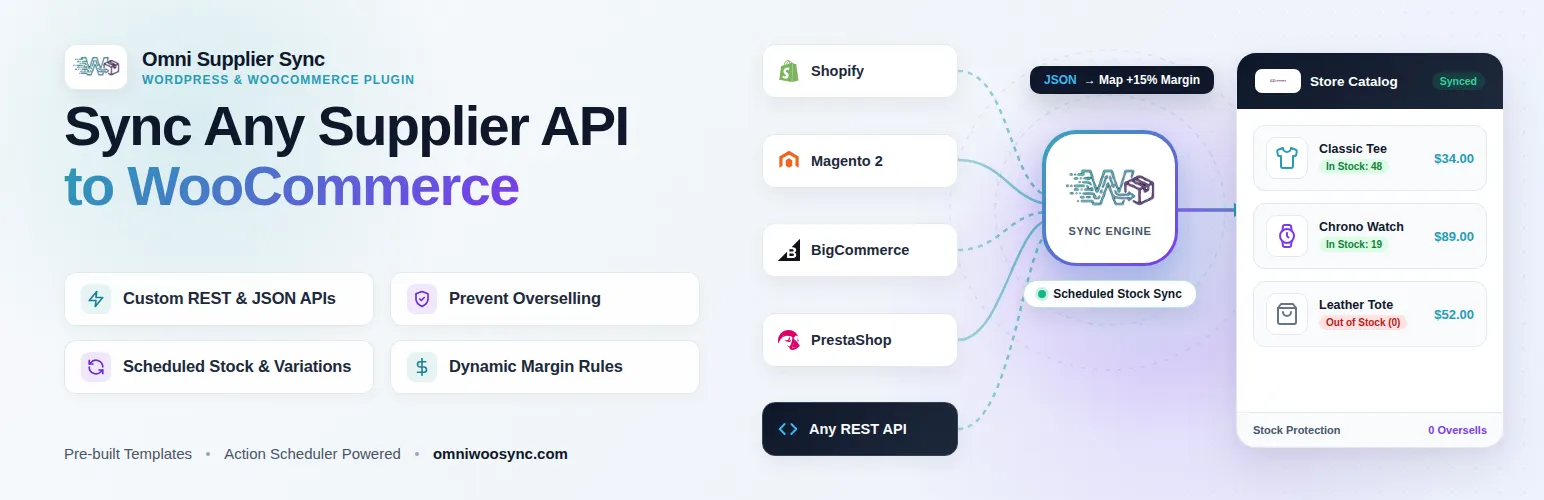
Supported Platform Connectors: Shopify, PrestaShop, BigCommerce & Magento
Omni Supplier Sync is engineered to bridge WooCommerce with the world’s leading e-commerce platforms and external vendor APIs:
- Shopify to WooCommerce Sync: Automatically mirror products, pricing tiers, and inventory levels from external Shopify stores directly into WooCommerce via the Shopify Admin REST API.
- PrestaShop to WooCommerce Sync: Connect PrestaShop Webservice endpoints to automate recurring product creation and scheduled stock updates.
- BigCommerce to WooCommerce Sync: Ingest complex BigCommerce V3 catalog feeds, attributes, and inventory counts with automated scheduling.
- Magento (Adobe Commerce) to WooCommerce: Ingest enterprise-level Magento 2 REST API feeds to sync multi-warehouse stock and wholesale pricing tiers.
- WooCommerce to WooCommerce (Multi-Store): Keep two or more independent WooCommerce stores synchronized on automated schedules via the native WooCommerce REST API.
How to Setup Automated WooCommerce Product Sync
- Connect Your Endpoint: In your plugin dashboard, enter your source platform API credentials (Shopify, PrestaShop, BigCommerce, Magento, or custom REST/JSON feed).
- Configure Field Mapping: Map incoming attributes (SKU, price, stock quantity, variation attributes) to WooCommerce product fields.
- Set Dynamic Pricing Formulas: Apply custom markup percentages or psychological
.99rounding rules to incoming wholesale costs. - Schedule Automated Background Sync: Select your sync interval (hourly, twice daily, or daily) to keep inventory automatically updated.
Conclusion: Take Complete Control of Your Catalog
Automating your store with a self-hosted, performance-focused plugin protects your margins, eliminates human error, and ensures your catalog scales effortlessly.
To explore full documentation and features, visit omniwoosync.com or download the free version directly from the official WordPress Plugin Repository.